Last Reviewed on: January 9, 2026
Disclaimer: The strategies and consumer protection laws mentioned are based on current 2026 trends. Regional variability exists; for instance, the European Union often has stricter “right to withdraw” laws than the United States. Always read the specific Terms of Service for any trial you join.
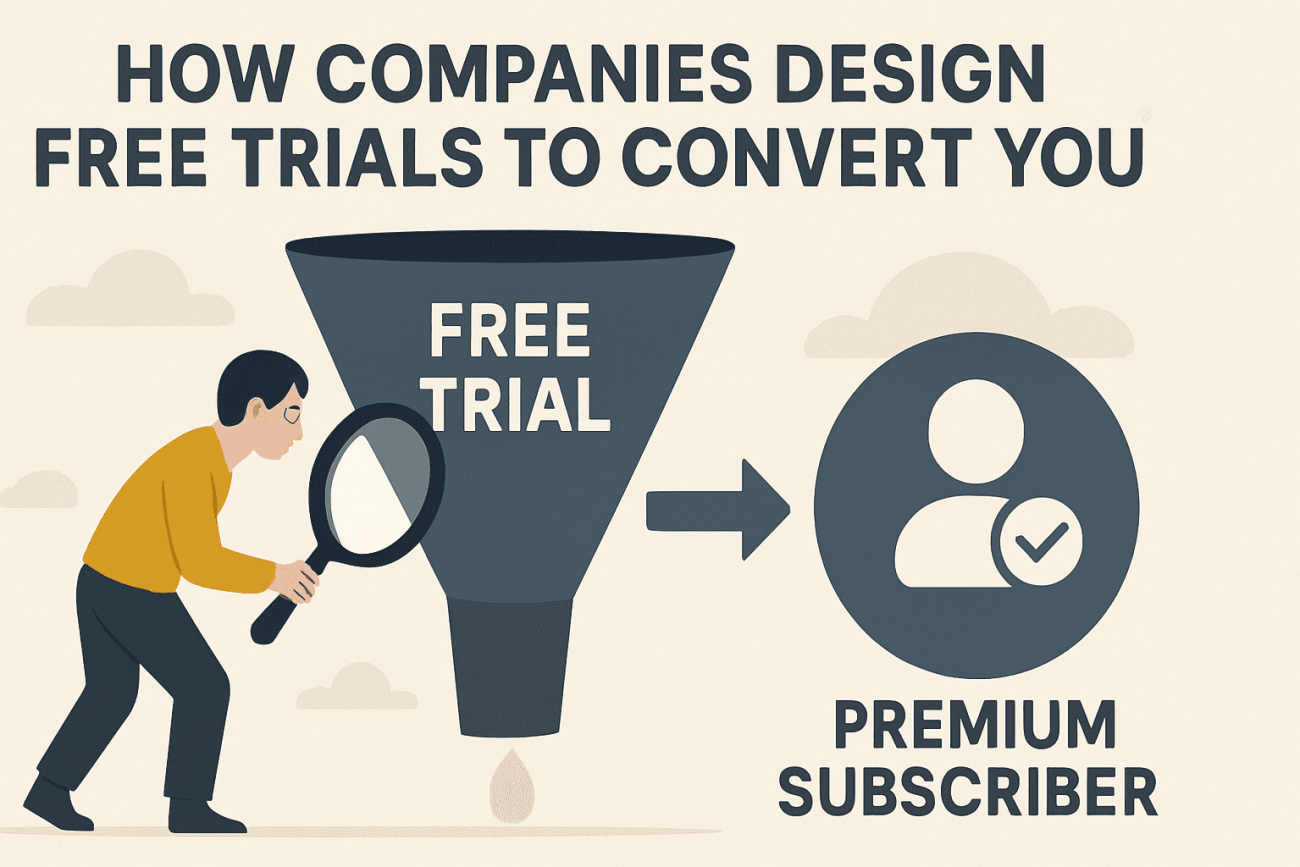
The “Free Trial” is one of the most successful marketing inventions of the digital age. On the surface, it looks like a generous gift—a way for you to test-drive a service like Netflix or Adobe Creative Cloud without risk. However, behind every “Start Your Free Trial” button lies a sophisticated architecture of psychology, data science, and behavioral economics designed with one goal: to turn you into a paying subscriber. For beginners looking to navigate the world of freebies, understanding these mechanics is the difference between getting a great deal and falling into a “subscription trap.”
Who This Is For / Not For
| This Is For You If… | This Is Not For You If… |
|---|---|
| You want to understand the “why” behind free trial offers. | You are looking for “hacks” to get infinite free trials. |
| You want to avoid accidental charges and “dark patterns.” | You expect companies to provide services for $0 forever. |
| You are interested in the psychology of consumer behavior. | You are looking for a “get rich quick” scheme. |
| You want actionable tips to manage your digital subscriptions. | You are a professional marketing analyst (this is for beginners). |
The Psychology of “Free”: Why Your Brain Can’t Resist
The word “free” triggers a unique emotional response in the human brain. Behavioral economist Dan Ariely famously demonstrated that people will choose a free item over a significantly more valuable item that costs just one cent. Companies leverage this “zero-price effect” to lower your critical thinking and get you into their ecosystem.
1. The Endowment Effect
Once you start using a service—customizing your Spotify playlists or setting up your Trello boards—you begin to feel a sense of ownership. This is known as the Endowment Effect. In your mind, the product is no longer “theirs”; it is “yours.” When the trial ends, you aren’t just deciding whether to buy something new; you are deciding whether to lose something you already have.
2. Loss Aversion
Psychologically, the pain of losing something is twice as powerful as the joy of gaining it. This is Loss Aversion. Companies design trials to make you dependent on “Premium” features. For example, a 14-day trial of Canva Pro gives you access to the “Background Remover” tool. Once the trial ends, the thought of going back to the manual, tedious way of editing photos feels like a significant loss, nudging you toward the “Subscribe” button.
3. The Sunk Cost Fallacy
The more time you invest in a trial—uploading files to Dropbox or training an AI tool like Grammarly to recognize your writing style—the more likely you are to convert. You feel that if you don’t subscribe, all that “work” was for nothing. This is the Sunk Cost Fallacy in action.
The Architecture of the Trial: Three Common Models
Not all free trials are created equal. Companies choose their model based on how much they trust their product to “hook” you and how aggressive they want to be with their conversion goals. Understanding which model you are entering is the first step in protecting your wallet.
| Trial Model | How It Works | The “Trap” Level | Why Companies Use It |
|---|---|---|---|
| Opt-In (No CC) | You sign up with just an email. Access simply cuts off after X days. | Low: No risk of accidental charges. | To build trust and lower the barrier to entry for skeptical users. |
| Opt-Out (CC Required) | You must provide payment info upfront. You are charged automatically unless you cancel. | High: Relies on your forgetfulness and inertia. | To filter for “high-intent” users and capture revenue from those who forget to cancel. |
| Reverse Trial | You start with all “Pro” features. After 14 days, you “downgrade” to a limited free version. | Medium: Uses “Loss Aversion” to make the free version feel “broken.” | To show you what you’re missing before taking it away. |
The Rise of the “Reverse Trial”
In 2026, we are seeing a massive shift toward the Reverse Trial. Companies like Slack and Airtable have mastered this. Instead of asking you to “upgrade” to see premium features, they give them to you for free for the first 14 days. When the trial ends, they don’t charge your card; they simply “lock” the features you’ve been using. This is a brilliant use of the Endowment Effect. You’ve already integrated those features into your workflow, so “downgrading” feels like your tools are suddenly broken.
The Controversy of the “Opt-Out” Model
The Opt-Out model remains the most controversial and, for many companies, the most profitable. According to a 2024 report by the Federal Trade Commission (FTC), over 60% of companies using this model saw a significant portion of their revenue come from “unintentional renewals”—users who simply forgot to cancel.
This predatory behavior has led to the landmark “Click to Cancel” regulations of 2026. These laws mandate that if you can sign up for a trial in two clicks, you must be able to cancel it in two clicks. No more “calling a representative” or “mailing a physical letter” to end a digital subscription. However, while the law is on your side, enforcement can be slow, and many companies still use “gray area” tactics to delay your cancellation.
“Dark Patterns”: Deceptive Designs to Watch For
While many companies are transparent, some use “Dark Patterns”—user interface designs intended to manipulate you into doing things you didn’t mean to do. These are not “accidents” of design; they are carefully crafted by “Growth Hackers” to exploit human psychology.
1. Forced Continuity
This is the classic “free trial that isn’t free.” You are required to enter credit card info, and the “Cancel” button is hidden deep within the settings menu, often behind multiple “Are you sure?” prompts. Some companies even use “confirmshaming,” where the button to cancel says something like, “No thanks, I prefer to pay full price and be unproductive.”
2. The Roach Motel
Named because it’s easy to get in but impossible to get out. You can sign up for a trial of a newspaper like The New York Times or a gym membership in 30 seconds online. However, when you try to cancel, you are told you must call a representative during business hours or, in extreme cases, send a certified letter. In 2026, the FTC has begun cracking down on this, but “The Roach Motel” still exists in many legacy industries.
3. Sneak into Basket
During the trial sign-up, a company might “pre-check” a box for an additional service. For example, while signing up for a GoDaddy domain trial, you might find “Privacy Protection” or “Email Hosting” already added to your cart. If you don’t uncheck them, you’ll be charged for these “extras” the moment the trial ends.
4. The “Bait and Switch” Trial
This occurs when a company advertises a “Free Trial of Our Best Plan,” but the fine print reveals that the trial only includes a tiny subset of features. Once you’ve spent an hour setting up your account, you realize you need to pay immediately to actually use the product for its intended purpose. This exploits the Sunk Cost Fallacy—you’ve already invested the time, so you’re more likely to just pay the fee.
5. Visual Interference
This is when the “Cancel” button is designed to be hard to see. It might be a light gray text on a white background, while the “Stay Subscribed” button is a bright, high-contrast blue. Your eyes are naturally drawn to the “wrong” button, leading to accidental renewals.
The “Cost” of Free: Privacy and Data
In 2026, your data is often more valuable than a $10 subscription. When you sign up for a free trial, you are often “paying” with your digital identity.
1. The Marketing Funnel
The moment you enter your email, you are no longer a “visitor”; you are a “lead.” You will be bombarded with “nurture sequences”—emails designed to keep the product top-of-mind. Even if you cancel the trial, your email remains in their database, often shared with “partner companies” (a euphemism for data brokers).
2. Behavioral Tracking
During the trial, companies use tools like Hotjar or Mixpanel to track every click you make. They want to know:
- Which features did you use most?
- Where did you get stuck?
- At what point did you stop using the app?
This data is used to refine their “conversion hooks” for future users. You are essentially a free beta tester for their sales machine.
3. The “Shadow Profile”
Some free trials, especially for social media or “free” mobile games, ask for permissions that seem unnecessary—like access to your location, contacts, or microphone. This data is used to build a “Shadow Profile” of you, which can be used for hyper-targeted advertising across the web. As the saying goes: “If you aren’t paying for the product, you are the product.”
Advanced Strategies: How to Outsmart the System
If you want to enjoy the benefits of free trials without becoming a victim of their design, you need to adopt a “defensive” mindset.
The “Burner” Strategy
Never use your primary email for a free trial. Use a dedicated “freebie” email address or a service like SimpleLogin that creates aliases. This prevents your main inbox from being flooded with marketing spam and makes it harder for companies to track you across different services.
The “Virtual Card” Defense
This is the single most effective way to prevent accidental charges. Services like Privacy.com or many modern banking apps (like Revolut) allow you to create “Single-Use” or “Merchant-Locked” virtual cards.
- Set the spending limit to $1.
- Use this card for the trial.
- When the trial ends and the company tries to charge the full $99, the transaction will be automatically declined.
The “Immediate Cancellation” Hack
For many major platforms—including Apple TV+, Amazon Prime, and YouTube Premium—you can cancel the trial five minutes after you sign up.
- Go to your settings.
- Click “Cancel Trial.”
- The system will usually say: “Your access will continue until [Date].”
This removes the risk of forgetting to cancel later while still giving you the full benefit of the trial.
The “Calendar Buffer” Method
Don’t just set a reminder; set a system.
- T-Minus 3 Days: Check if the service requires a “notice period” for cancellation.
- T-Minus 2 Days: Perform the actual cancellation.
- T-Minus 1 Day: Check your bank account or “Pending Transactions” to ensure no charge was initiated.
- Day 0: Verify that your access has been revoked (or moved to the free tier).
Consumer Protection in 2026: Your Legal Rights
The good news is that the law is finally catching up to deceptive trial designs. In 2026, several key regulations protect you:
- The FTC “Click to Cancel” Rule: As mentioned, this requires companies to make cancellation as easy as sign-up. If they violate this, you can report them directly to the FTC.
- The Restore Online Shoppers’ Confidence Act (ROSCA): This law requires companies to clearly disclose all terms before you enter your payment info and to provide a simple way to stop recurring charges.
- EU Digital Markets Act (DMA): If you are in the EU, you have even stronger protections, including a mandatory 14-day “cooling-off” period where you can cancel any digital service for a full refund, no questions asked.
- Bank “Stop Payment” Rights: Most major credit card issuers (like Chase or American Express) now have built-in tools to “Block Recurring Charges” from specific merchants with one click in their mobile app.
Community Experiences: Real-World Lessons
To provide a realistic perspective, we have summarized common experiences from the consumer community. Note: The author of this article did not participate in these specific interactions; these are summaries of publicly shared experiences from platforms like Reddit’s r/SubscriptionTrap and Trustpilot.
One recurring theme is the “Hidden Cancellation Window.” A user shared on Reddit that they tried to cancel a trial of a popular fitness app 24 hours before it ended, only to find that the terms required cancellation 48 hours in advance to avoid the charge. Another user on Trustpilot noted that while a “7-day free trial” sounds great, the company actually authorized a “temporary hold” of $99 on their card, which caused their bank account to overdraw.
These stories highlight that “free” often comes with strings attached. As one community member put it: “The trial isn’t for you to test the product; it’s for the company to test your memory.” Another user advised: “Always take a screenshot of the cancellation confirmation page. I’ve had companies ‘lose’ my cancellation request, and that screenshot was the only reason my bank gave me a refund.”
Final Verdict: Transparency is Key
Free trials are a powerful tool for consumers to discover value, but they are not “free” in the traditional sense. They are a calculated business investment. By understanding the psychology of the Endowment Effect, the mechanics of Reverse Trials, and the dangers of Dark Patterns, you can take control of your digital life.
The best way to approach a free trial in 2026 is with a “trust but verify” mindset. Enjoy the features, but always have your exit strategy ready before you even click “Start.” Remember, the goal of the company is to make you a customer for life; your goal is to ensure that every dollar you spend is a conscious, informed choice.
Community Experiences: Real-World Lessons
To provide a realistic perspective, we have summarized common experiences from the consumer community. Note: The author of this article did not participate in these specific interactions; these are summaries of publicly shared experiences from platforms like Reddit’s r/SubscriptionTrap and Trustpilot.
One recurring theme is the “Hidden Cancellation Window.” A user shared on Reddit that they tried to cancel a trial of a popular fitness app 24 hours before it ended, only to find that the terms required cancellation 48 hours in advance to avoid the charge. Another user on Trustpilot noted that while a “7-day free trial” sounds great, the company actually authorized a “temporary hold” of $99 on their card, which caused their bank account to overdraw.
These stories highlight that “free” often comes with strings attached. As one community member put it: “The trial isn’t for you to test the product; it’s for the company to test your memory.”
The “Cost” of Free: Privacy and Data
In 2026, your data is often more valuable than a $10 subscription. When you sign up for a free trial, you are often “paying” with:
- Email and Identity: Your email is added to a marketing funnel and often sold to “data brokers.”
- Behavioral Data: Companies track exactly how you use the trial to build a “buyer profile.”
- Contact Access: Some apps ask for permission to “sync contacts” during a trial, effectively using you to market to your friends.
Actionable Playbook: How to Win the Free Trial Game
You can enjoy the benefits of free trials without the headaches if you follow these professional “rules of engagement.”
- The “Cancel Immediately” Rule: For many services (like Apple TV+ or Amazon Prime), you can cancel the trial the moment after you sign up and still keep access until the end of the period. Do this every time.
- Use Virtual Cards: Services like Privacy.com allow you to create “virtual” credit cards with a $1 limit. If the company tries to charge you after the trial, the transaction will simply fail.
- The Calendar Buffer: Never set a reminder for the day the trial ends. Set it for two days before. This gives you a buffer for “processing times” or time-zone differences.
- Check the “App Store” Settings: If you signed up via an iPhone or Android app, the subscription is managed by Apple or Google, not the app developer. You can usually cancel these with one tap in your phone’s settings.
Final Verdict: Transparency is Key
Free trials are a powerful tool for consumers to discover value, but they are not “free” in the traditional sense. They are a calculated business investment. By understanding the psychology of the Endowment Effect and the dangers of Dark Patterns, you can take control of your digital life.
The best way to approach a free trial in 2026 is with a “trust but verify” mindset. Enjoy the features, but always have your exit strategy ready before you even click “Start.”

Taylor Brooks is our resident expert on everything that can be downloaded, streamed, or played for free. With a career spanning over seven years in the educational technology sector, Taylor is uniquely qualified to separate high-value learning resources from low-quality “freemium” traps. At AllFreeStuff.com, Taylor handles the gaming and digital download beats, rigorously testing free-to-play titles and creative software suites for hidden microtransactions. Taylor is committed to the “Open Web” philosophy, constantly hunting for the best free stock assets, coding courses, and digital tools to help the next generation of creators build for free.