Master the Art of the Freebie Without the Financial Hangover
Last reviewed on: January 8, 2026. Tool availability, features, and regional restrictions (especially for virtual credit cards) may vary. This article contains links to external platforms for informational purposes.
Free trials are a fantastic way to explore new services, test software, or enjoy premium content without immediate financial commitment. From streaming platforms and productivity apps to fitness programs and online courses, the digital world is brimming with opportunities to try before you buy. However, the convenience of a free trial often comes with a hidden psychological cost: the risk of forgetting to cancel and inadvertently incurring charges for a service you no longer need or want.
This guide is designed to empower you to navigate the free trial landscape with confidence and control. We’ll delve into the psychology behind why we forget, explore cutting-edge tools like virtual credit cards, examine the best subscription tracking apps, and share practical, low-tech hacks to ensure you never pay for a free trial again. Our goal is to help you maximize the benefits of free trials while safeguarding your budget and peace of mind.
Who This Is For / Not For
- This guide is for: Budget-conscious individuals, students, digital explorers eager to test new services, and anyone who has ever been caught by an unexpected subscription charge. It’s for those who want to leverage free trials effectively and maintain strict control over their recurring expenses.
- This guide is not for: Individuals who prefer to avoid digital tools for financial management, those who are comfortable with the occasional forgotten subscription, or users who are not willing to invest a small amount of time in setting up preventative measures. While the strategies are straightforward, they do require a proactive approach.
The “Free Trial” Trap: Why We Forget and How It Costs Us
Companies offer free trials for a reason: they work. A significant portion of users who sign up for a free trial either forget to cancel or find the cancellation process cumbersome, leading to automatic conversion into a paid subscription. This isn’t accidental; it’s often a carefully designed psychological strategy.
The Psychology of Subscriptions: Counting on Your Forgetfulness
Subscription services leverage several psychological principles. The endowment effect makes us value something more once we possess it, even if it’s just a trial. Inertia plays a huge role; once a service is integrated into our routine, the effort to cancel can feel greater than the perceived cost of keeping it. Finally, “dark patterns” in user interface design can intentionally obscure cancellation options, making it a frustrating experience. Companies know that a certain percentage of users will simply forget or give up, turning a free trial into a recurring revenue stream [1].
The Cost of Convenience: “Zombie” Charges and Your Budget
These forgotten subscriptions, often dubbed “zombie” charges, can silently drain your bank account. A few dollars here and there might seem insignificant, but they quickly add up. Studies show that many consumers underestimate their total monthly subscription spending, with forgotten trials contributing significantly to this “subscription creep.” The real-world impact isn’t just financial; it’s also the mental burden of realizing you’ve paid for something you didn’t use or want, eroding trust and causing frustration.
Transparency Note: While free trials offer value, they also represent a data trade-off. Signing up often requires providing personal information, including email addresses and payment details. Be mindful of the data you share and consider using temporary email addresses for trials if privacy is a major concern.
The “Cancel Immediately” Strategy: A Golden Rule for Many Trials
One of the simplest yet most effective strategies for managing free trials is to cancel the moment you sign up. For many services, this action does not terminate your access immediately; instead, it simply ensures that your subscription will not auto-renew once the trial period ends. You get to enjoy the full trial duration without the anxiety of remembering to cancel later.
The Golden Rule: Cancel the Moment You Sign Up
This strategy works for a vast number of services, including popular streaming platforms and many software trials. After signing up and confirming your trial, navigate directly to your account settings or subscription management page and initiate the cancellation. The service will typically confirm that your access will continue until the end of the trial period, and no further action is needed from your side. This proactive approach eliminates the risk of accidental charges and gives you peace of mind.
The Exception: Services That Cut Access Immediately
It’s crucial to be aware that not all services operate this way. Some, particularly certain niche streaming channels or specific software trials, will terminate your access the moment you hit the cancel button. Always read the fine print or the confirmation message carefully before proceeding with an immediate cancellation. If the service explicitly states that access will be revoked immediately, you’ll need to rely on other strategies, such as calendar reminders or virtual credit cards, to manage the trial effectively.
Actionable Tip: For iOS users, managing subscriptions is centralized. Go to
Settings > [Your Name] > Subscriptionsto view and cancel trials. Android users can manage subscriptions via theGoogle Play Store app > Profile icon > Payments & subscriptions > Subscriptions[2]. This centralized management makes it easier to apply the “cancel immediately” rule.
Digital Shields: Leveraging Virtual Credit Cards
Virtual Credit Cards (VCCs) are a game-changer for free trial management. These are temporary, randomly generated card numbers linked to your actual bank account or credit card, but with customizable controls. They act as a protective layer, allowing you to sign up for trials without exposing your primary card details or risking unwanted charges.
Privacy.com: The Gold Standard for Trial Management
Privacy.com is widely regarded as one of the best tools for managing free trials. It allows you to create unique virtual card numbers for each subscription. Key features include [3]:
- Spending Limits: Set a maximum spending limit (e.g., $1 or $5) for a card. If a service tries to charge more than this limit after the trial, the transaction is declined.
- One-Time Use Cards: Create cards that expire after a single transaction, ensuring no recurring charges.
- Pausing/Closing Cards: Instantly pause or close a virtual card if you decide not to continue with a service.
This functionality makes Privacy.com incredibly effective for trials. You can sign up with a card limited to $1, which typically passes the initial authorization check, but will block any subsequent full charges if you forget to cancel.
Bank-Level Features: Virtual Cards from Your Bank
Many modern banks and financial apps, such as Revolut and Monzo (primarily in the UK and Europe), or certain Capital One cards in the US, offer their own virtual card features. These often allow you to generate temporary card numbers, set spending limits, or freeze cards, providing similar protection to dedicated VCC services. Check with your bank or financial institution to see if they offer such features [4].
The “$1 Limit” Trick: Passing Authorization, Blocking Charges
This clever tactic involves setting a virtual card’s spending limit to a very low amount, typically $1. Most subscription services perform a small authorization check (often $0 or $1) when you sign up for a trial to verify the card’s validity. A $1 limit allows this initial check to pass. However, when the trial period ends and the service attempts to charge the full subscription fee (which will be more than $1), the transaction is automatically declined. This effectively cancels the subscription without you having to lift a finger, preventing unwanted charges [5].
Tracking Tools: Apps That Watch Your Back
For those who prefer an automated approach or want a comprehensive overview of all their subscriptions, dedicated tracking apps can be invaluable. These tools help you identify recurring charges, monitor trial end dates, and even assist with cancellations.
| Tool | Automation Level | Privacy Cost | The Catch | Ideal For |
|---|---|---|---|---|
| Rocket Money | High (links to bank) | Medium (shares financial data) | Premium features cost money | Automated tracking, bill negotiation |
| Bobby (iOS) | Low (manual entry) | Low (no bank linking) | Requires manual input | Privacy-conscious, simple tracking |
| Subby (Android) | Low (manual entry) | Low (no bank linking) | Requires manual input | Android users, simple tracking |
| Monarch Money | High (links to bank) | Medium (shares financial data) | Paid service | Comprehensive budgeting, recurring expense tracking |
Rocket Money: The Automated Concierge
Rocket Money (formerly Truebill) is a popular financial management app that excels at identifying and tracking subscriptions. By linking to your bank accounts and credit cards, it automatically detects recurring charges, flags free trials, and sends alerts before they convert to paid subscriptions. Rocket Money also offers a concierge service (often for a fee) that can cancel subscriptions on your behalf, saving you time and effort. While the basic plan is free, premium features, including bill negotiation, come with a monthly fee [6].
Bobby & Subby: Manual Tracking for the Privacy-Conscious
For users who are hesitant to link their bank accounts, apps like Bobby (for iOS) and Subby (for Android) offer a simple, manual solution. You input your subscriptions and trial end dates, and the apps provide reminders. These are excellent choices for those prioritizing privacy, as they don’t require access to your financial data. The trade-off is the need for manual data entry and upkeep [7].
Low-Tech Hacks: The Calendar and the Inbox
Sometimes, the simplest solutions are the most effective. Before the advent of sophisticated apps and virtual cards, people relied on basic organizational tools to manage their trials. These methods remain highly effective and are accessible to everyone.
The “Two-Day” Alert: Why One Reminder Isn’t Enough
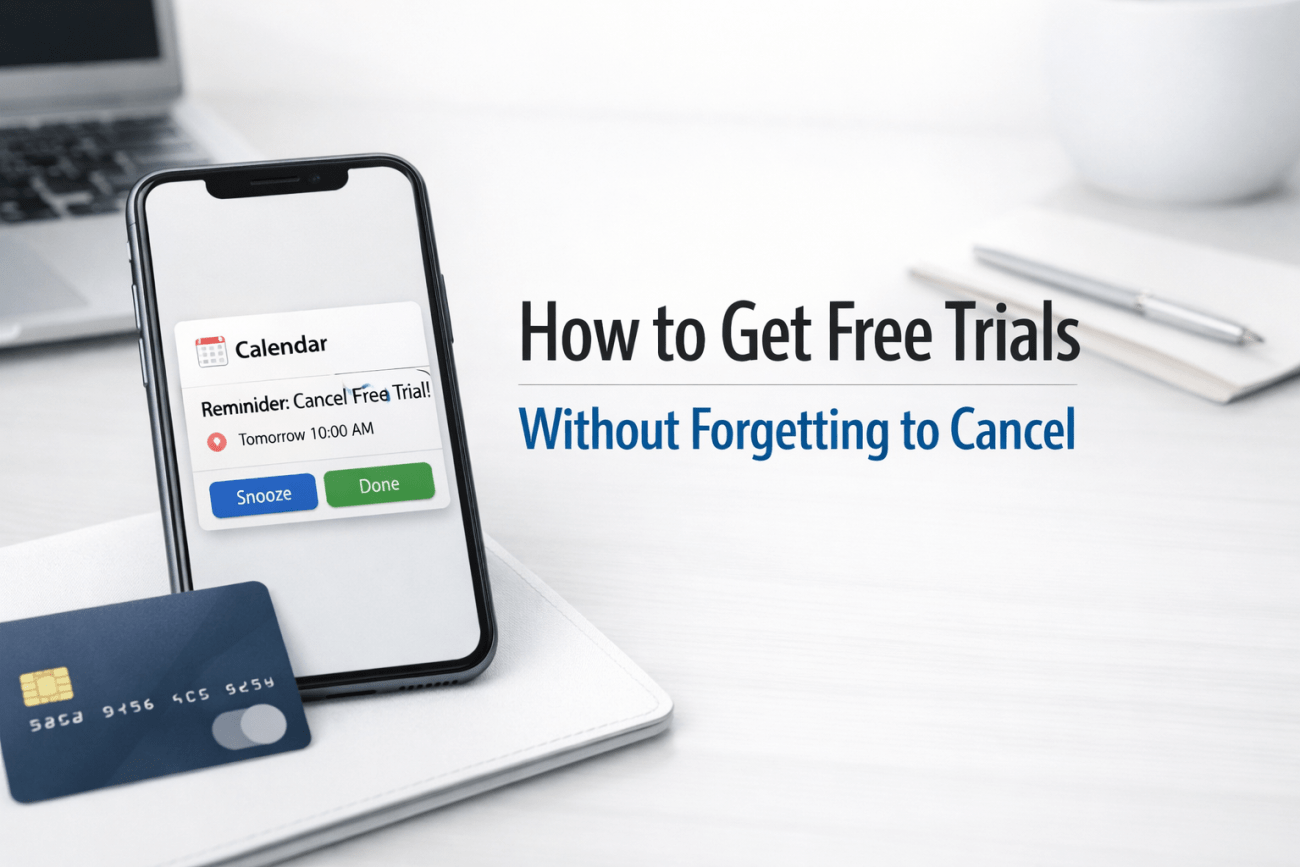
Setting a single calendar reminder for the day a trial ends is risky. What if you’re busy? What if you miss the notification? A more robust approach is the “two-day” alert system. Set two reminders: one for two days before the trial ends, giving you ample time to review the service and decide, and another for the day of the trial’s expiration as a final failsafe. Use your phone’s calendar, Google Calendar, or any reminder app you regularly check [8].
The Dedicated “Trial” Email: Keeping Your Inbox Organized
When signing up for free trials, consider using a dedicated email address. This keeps all trial-related communications—confirmation emails, “your trial is ending” notifications, and promotional messages—separate from your primary inbox. This reduces clutter and makes it easier to spot important alerts related to your trials. You can also set up specific filters or labels in your email client to further organize these messages.
Browser Extensions: Contextual Reminders
Some browser extensions are designed to remind you about trials or subscriptions as you browse. While less common than dedicated apps, they can offer contextual reminders when you visit a service’s website, prompting you to check your subscription status. Search your browser’s extension store for “subscription reminder” or “free trial manager” to see available options.
Community Perspectives: Real Stories of Trial Success
Disclaimer: The following are summaries of community experiences from various online forums and do not reflect the views of the author. They are included to provide a broader perspective on managing free trials.
The “Privacy.com” Savior: On Reddit, countless users praise Privacy.com for saving them from unwanted charges. “Privacy.com is a lifesaver,” one user commented. “I set a $1 limit on every trial card. If I forget, no big deal, the charge just gets declined. It’s freed me from so much anxiety.” This sentiment is echoed by many who value the financial security it provides [3].
The “Immediate Cancel” Habit: A forum participant shared their simple, effective routine: “My rule is: sign up, then immediately go to settings and cancel. 99% of the time, the trial continues. It’s a habit now, and I haven’t been charged accidentally in years.” This highlights the power of a consistent, proactive approach [1].
The “Calendar Alert” Discipline: Another user emphasized the importance of robust reminders. “I use two calendar alerts for every trial,” they explained. “One a few days before, and one on the day. It’s old school, but it works. Especially for those tricky trials that cut access if you cancel too early.” This demonstrates the reliability of traditional methods when applied diligently [8].
Actionable Guidance: Your Free Trial Checklist
To effectively manage free trials and avoid unwanted charges, adopt a systematic approach. Here’s a checklist to guide you through every new trial:
- Assess the Service: Before signing up, determine if the service is genuinely useful or just a fleeting interest. Is it worth the potential hassle of cancellation?
- Read the Fine Print: Quickly scan the terms and conditions for the trial. Pay attention to the trial duration, what happens after the trial, and the cancellation policy (especially if access is immediately revoked upon cancellation).
- Use a Virtual Credit Card (VCC): Whenever possible, sign up with a VCC (like Privacy.com) with a low spending limit ($1) or a temporary card. This is your strongest defense against accidental charges.
- Implement the “Cancel Immediately” Rule: If the terms allow, cancel the trial right after signing up. Confirm that access continues until the trial end date.
- Set Multiple Reminders: If immediate cancellation isn’t an option, set at least two calendar reminders: one 2-3 days before the trial ends, and another on the day of expiration.
- Use a Dedicated Email: Sign up for trials with a separate email address to keep trial-related communications organized.
- Track with an App: Consider using a subscription tracking app (like Rocket Money for automation or Bobby/Subby for manual control) to centralize all your trial information.
- Handle “Dark Patterns” Strategically: If a service makes cancellation difficult (e.g., requiring a phone call), make a note of it. These are often services to avoid in the future, or to tackle with a VCC.
How to Handle “Phone-Only” Cancellations (The “Skip” List)
Some services intentionally make cancellation difficult, often requiring a phone call during business hours. These are prime candidates for using a virtual credit card with a low limit. If you’ve already signed up with your primary card, be prepared for a potentially frustrating experience. Services like certain gym memberships or older software subscriptions are notorious for this. Consider these services as part of your “skip” list unless absolutely necessary, or approach them with extreme caution and a VCC.
Conclusion: Take Control of Your Digital Spending
Free trials are a fantastic resource for exploring the vast digital landscape without financial risk. However, they demand a proactive and informed approach to prevent them from becoming a source of unexpected expenses. By understanding the psychological traps, leveraging powerful digital tools like virtual credit cards and subscription trackers, and employing simple organizational hacks, you can master the art of the freebie.
Embrace the freedom to try new things, but do so wisely. Take control of your digital spending, protect your privacy, and ensure that “free” truly means free. Your wallet (and your peace of mind) will thank you.
References
- How to Never Pay for a Free Trial Again – Medium (Zach Fitzner)
- Manage App Store purchases, subscriptions, settings, and restrictions on iPhone – Apple Support
- Privacy.com – Official Website
- Virtual Credit Card: What It Is and When to Use One – Remitly
- Free Trials Trick: Stop Paying After They End – David V. Kimball
- Best Apps To Track and Manage Subscriptions in 2026 – CNBC Select
- 7 Best Subscription Manager Apps to Track and Cancel Subscriptions – Rob Berger
- How do people manage to offer free trials for AI SaaS tools – Reddit r/SaaS (General discussion on trial management)